TCS Amount Not Matching with GST Tool
Learn why TCS data from eCommerce platform does not match with GST Tool and how to fix the mismatch step by step.

2 months ago
Written by GST Tool Team
If the TCS figures on the GST portal do not match the values generated by GST Tool, you can reconcile them with the built-in TCS Reconciliation tool. It shows the state-wise difference between your GSTR-1 data (prepared in GST Tool) and the TCS report downloaded from the GST portal, and lets you fix any mismatch manually or automatically.
Step 1 — Open the TCS Reconciliation tool
Log in to GST Tool and go to the GST Online Seller tool. In the left sidebar, open TCS Reconcile. You can also reach it directly here:
https://gsttool.in/tools/gst-online/tcs.php
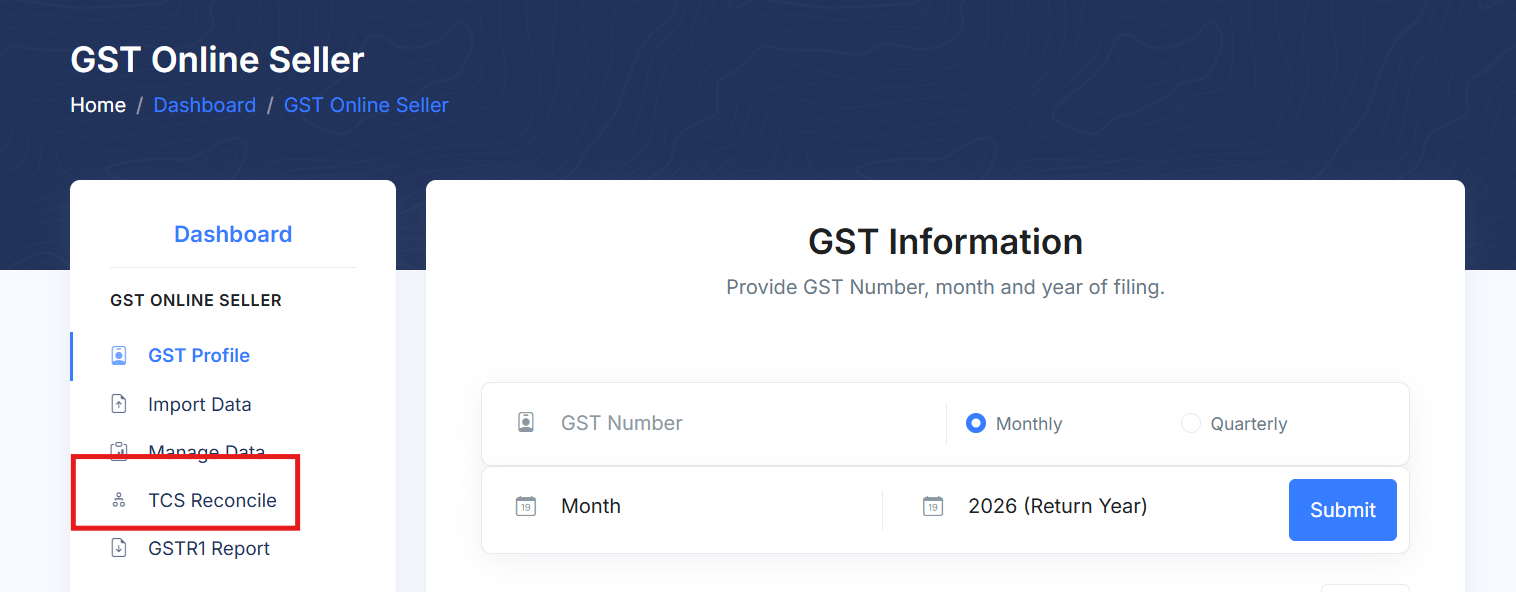
Note: You must have already added/selected your GSTIN and imported your platform data. If no data is imported, the tool will ask you to import it first.
Step 2 — Download the TCS report from the GST portal
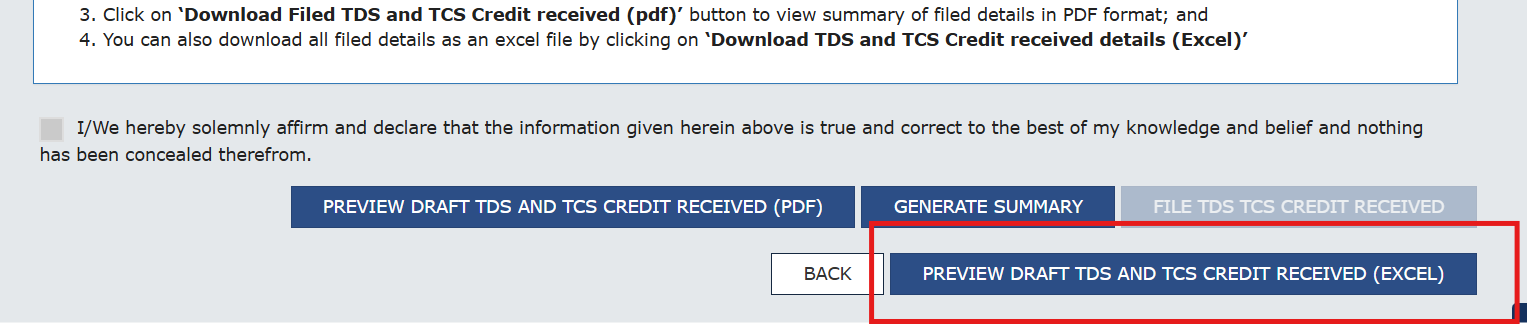
On the GST portal, download the draft TDS and TCS credit received report as an Excel file. Follow this path:
- Log in to the GST Portal (gst.gov.in).
- Go to Services → Returns → TDS and TCS credit received.
- Select the period (financial year & month) you want to reconcile.
- Click Prepare Online.
- Click Preview Draft TDS and TCS credit received and download the Excel file (a
.xlsx, or a.zipcontaining it).
Step 3 — Upload the TCS report to GST Tool
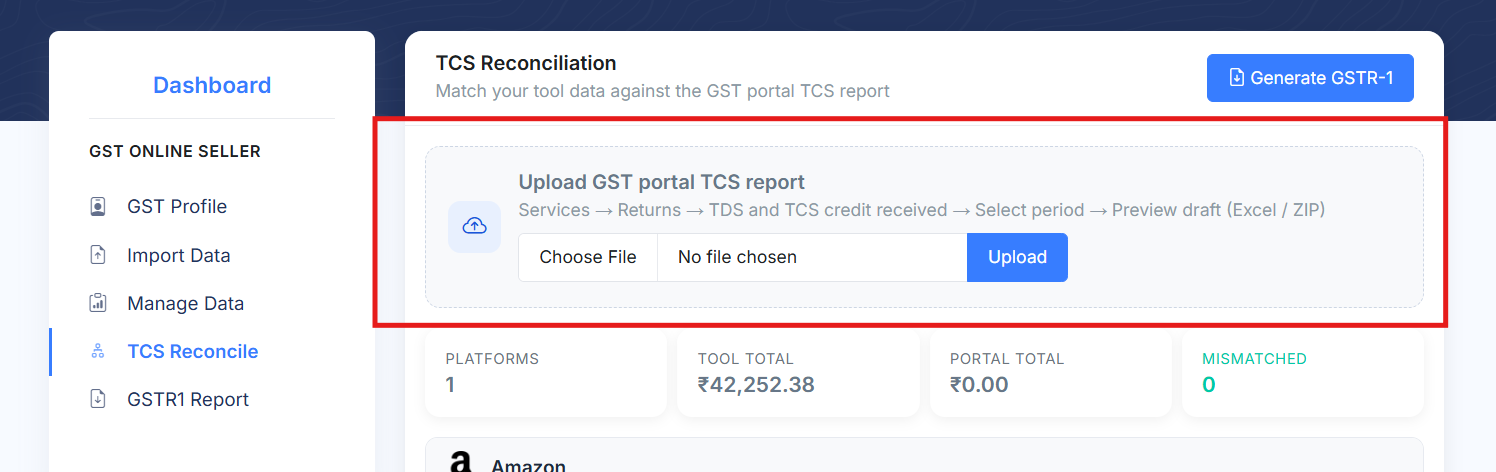
Back on the TCS Reconcile page, use the Upload GST portal TCS report box, choose the Excel/ZIP file you just downloaded, and click Upload. The tool reads the state-wise TCS values and compares them against your GST Tool data.
Step 4 — Read the comparison
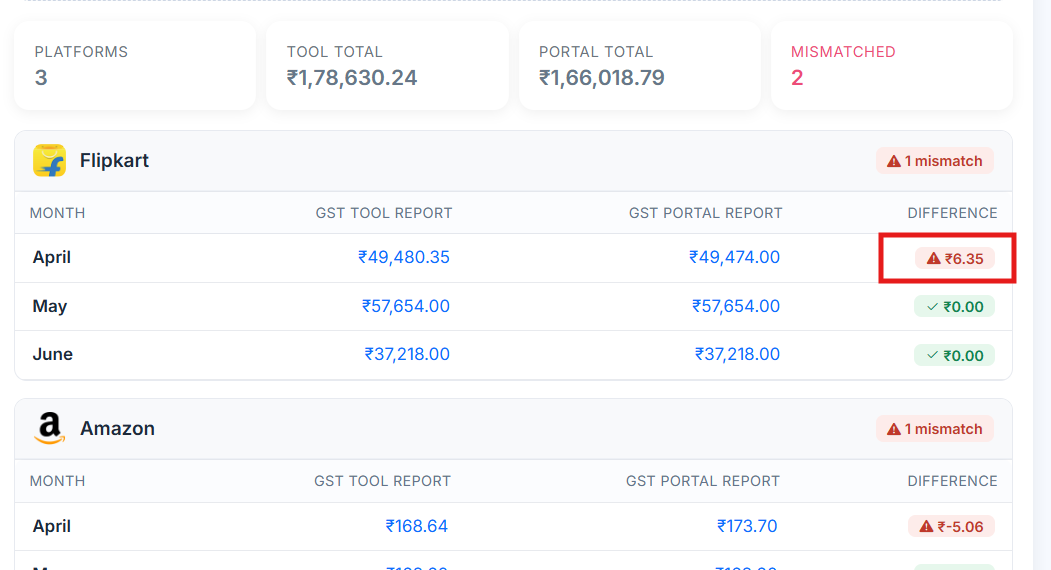
After the upload, GST Tool shows a summary (Tool total, Portal total and how many periods are Mismatched) followed by a per-platform table. For every month you can see three amounts:
- GST Tool Report – the taxable value prepared in GST Tool.
- GST Portal Report – the taxable value from the uploaded TCS Excel.
- Difference – Tool minus Portal. A green tick means it matches; a red badge means there is a mismatch to review.
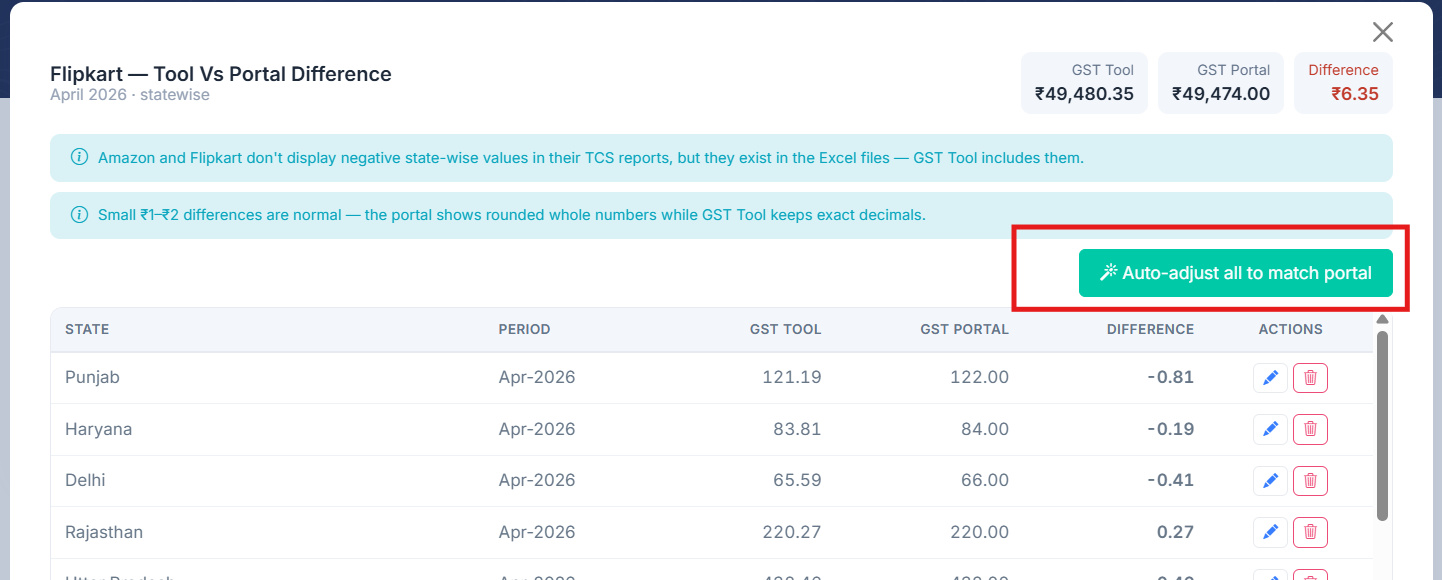
Click the Difference badge (or either amount) to open the state-wise breakup for that platform and month. Only the states that differ are listed, so you can see exactly where the mismatch is.
Step 5 — Reconcile the difference
You can fix the mismatch in two ways:
Option A — Automatically (recommended)
Inside the state-wise difference popup, click “Auto-adjust all to match portal”. GST Tool adds the required adjustment entries so that every mismatched state's taxable value equals the GST portal value, and the Difference drops to zero. This is the fastest and safest option for most sellers.
Option B — Manually (Edit or Delete state-wise rows)
If you prefer to correct specific states yourself, use the action icons on each row of the difference popup:
- Edit () – change the taxable amount for that state so it matches the portal value.
- Delete () – remove that state's entry. This is typically used on the highlighted negative rows (shown in red) for Amazon/Flipkart when you do not want them included.

After each edit or delete, the difference recalculates automatically. Repeat until the Difference for the platform/month is 0 (or within the acceptable ₹1–₹2 rounding).
Step 6 — Generate the GSTR-1
Once every platform shows Matched, click Generate GSTR-1 to download the reconciled GSTR-1 JSON with confidence that it agrees with the GST portal's TCS report.
Was this article helpful?
17 out of 24 found this helpful